You found it.A vintage turntable sitting in a garage. Or listed on Facebook Marketplace for way less than it should cost. Or tucked in the corner of an estate sale.Your gut says buy it right now.
Wait.
Turntables aren’t like other vintage electronics. They move. A tiny needle drags across your records every single time you play one. And the motor has to spin at the exact right speed, every time. Get it wrong, and you don’t just get bad sound. You get damaged vinyl. Records you can’t get back.
I’ve spent 50+ years around this equipment. I know what makes a turntable worth buying, and what makes it a headache. Here’s what actually matters before you hand over your money, straight from my vintage turntable buyers guide.
What Makes or Breaks a Turntable
Two things carry the whole machine: the platter and the motor.
The platter is where your record sits. It needs weight. A heavy platter holds its speed steady, even when the needle hits a rough patch of vinyl. A light, thin platter speeds up and slows down. You’ll hear it.
The motor spins the platter. It needs to be quiet, and it needs to be exact. A motor that rumbles or grinds isn’t a small problem. It’s an expensive one to fix.
Speed matters more than people think. A turntable running even a little fast or slow changes the pitch of everything you play. This is exactly the kind of thing I can catch in minutes that would take you weeks of guessing to figure out on your own.
The Stylus Is Where Your Money Really Goes
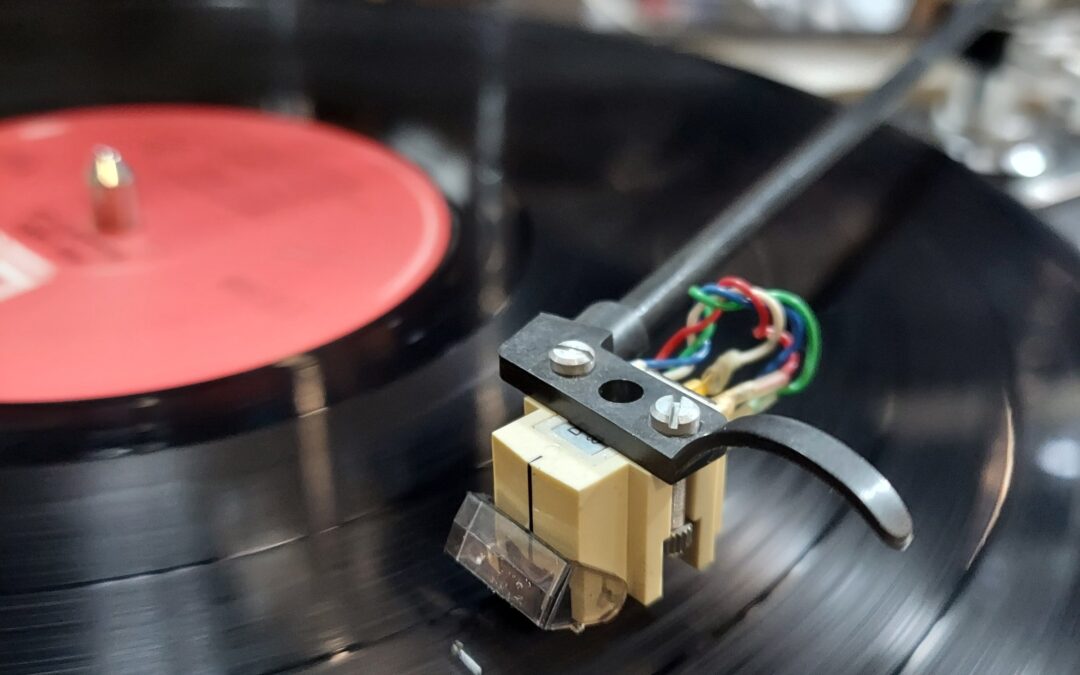
The stylus is the needle. It’s the single most important part of the whole machine, and it’s the part people overlook the most.
A good stylus lasts about 1,000 hours of play. Ask the seller how long they’ve had it, and how often they used it. “Heavy use for ten years” means that stylus is done. Budget 25 to 100 dollars or more to replace it, depending on the unit.
A damaged stylus doesn’t just sound bad. It damages your records, one play at a time. That’s the part people don’t realize until it’s too late.
Cartridges matter too. Moving magnet cartridges are common and easy to replace. Moving coil cartridges cost more and sound different. If the cartridge doesn’t match the turntable, that’s not a dealbreaker. It just means the sound might not be what the manufacturer intended. Worth asking about.
The Tonearm Tells You the Whole Story
The tonearm holds the cartridge and tracks across your record. It has to be balanced just right. Too much pressure, and it wears down your stylus and damages your records. Too little, and it skips.
A bent or warped tonearm means uneven pressure across the whole record. That’s a repair, not a quick fix.
This is one of those parts where a small problem looks harmless and turns into a big one down the road. Better to find out from me before you buy it than find out three records later.
Little Things That Add Up
The plinth is the base the whole turntable sits on. It needs to isolate vibration. A few cosmetic cracks don’t matter. Structural damage does. It sends vibration straight into the tonearm, and you’ll hear it as rumble.
Pitch control knobs and start and stop buttons wear out too. A crackly pitch knob usually means a dirty part inside. Not the end of the world. But it’s something to know about before you agree on a price.
What a Vintage Turntable Should Actually Cost
Price comes down to condition, plain and simple.
A beat-up unit that needs work: 50 to 100 dollars.
A well-maintained midrange turntable: 200 to 400 dollars.
A high-end turntable in excellent shape: 500 to 1,000 dollars or more.
Here’s the math people skip. If it needs a new stylus, that’s part of the real price. A turntable that needs a 100 dollar stylus should cost 100 dollars less than the same one ready to play. Don’t pay full price for a piece that still needs work.
When to Just Walk Away
Walk away if the stylus is visibly damaged.
Walk away if the motor sounds bad.
Walk away if the platter doesn’t spin freely.
Walk away if the tonearm is bent.
Walk away if the seller won’t give you a straight answer about condition.
Good vintage turntables are out there. Don’t talk yourself into a bad one because the price looked right at first.
The Smartest Move: Get It Checked
Once you bring a turntable home, get it serviced before you play it for hours on end. A proper check confirms the motor speed is right, the tonearm is balanced, and the cartridge is set up correctly for that turntable. That’s usually 50 to 100 dollars well spent, and it protects every record you own after that.
Honestly, the smartest move is getting it checked before you buy, not after. A good vintage turntable can sound better than anything being made today. Take care of it, and it will work for decades.
Frequently Asked Questions
What should I check first in a vintage turntable buyers guide?
Start with the platter and motor. If those aren’t right, nothing else about the turntable matters much. From there, the stylus is the next biggest factor in both cost and sound quality.
How much does it cost to service a vintage turntable?
Diagnostic fees are case-by-case, since every turntable is different. Bring it in and I can tell you what you’re actually looking at.
Is a cheap vintage turntable ever worth buying?
Sometimes. A low price can mean a good deal, or it can mean a stylus and cartridge replacement is coming. If you’re just getting into records, that’s not necessarily bad. You won’t have much invested if it turns out records aren’t for you. Either way, factor the cost into what you’re willing to pay.
Can a bad stylus damage my records?
Yes. A cracked, bent, or worn stylus damages vinyl every time it plays. It’s the single biggest reason not to guess on turntable condition.
How long does a turntable diagnostic take?
Real diagnosis takes time. Proper component testing typically runs 3 to 6 weeks, because doing it right means actually testing, not guessing.
Found a turntable you’re not sure about? Or want a professional set of eyes on it before you hand over your money? Check our repair FAQ to see what to expect, then reach out.
Your amp came back from the shop with a new board, not real component-level repair. It worked great for about a year. Then it died again.Here’s what actually happened. Nobody found out what was wrong with it. They swapped parts until something worked, then billed you for the board. That’s not repair. That’s guessing with a receipt.I’ve spent 50+ years doing it the slower way, the way that actually holds up. It’s called component-level repair. Once you understand the difference, you won’t read a repair quote the same way again.
Board-Swapping Is a Shortcut That Costs You Twice
Most repair shops work at the board level. Your amplifier has multiple circuit boards: power, preamp, and output. If it doesn’t work, they start swapping boards until it does, and then they bill you for the board. It’s fast for them, and it’s profitable for them. It just isn’t repair.
Here’s the part they don’t tell you. Ninety-five percent of the time, only one component on that board failed: a capacitor, a resistor, or a diode. One part. The whole board gets tossed anyway.
You pay for a new board, and they make more money. Meanwhile, your amp leaves with a board that’s going to fail the exact same way in a few years, because nobody ever asked why the first one died.
And that original fifty-year-old board? It’s gone. Not repaired. Thrown away.
What I Do Instead: Find the One Part That’s Actually Dead
Component-level repair means answering the real question: Why doesn’t this amplifier power on? Is it the power supply, the main fuse, a tripped protection circuit, or one dried-out capacitor?
You measure. You test. You trace the circuit and follow the signal until you find exactly where it’s getting stuck. Then, and only then, you fix the one component that’s actually broken.
It’s slower, a lot slower. You’re running real diagnostics instead of swapping parts and hoping. But when it’s done, the amp works, and it works because the actual problem got fixed, not because you got lucky with a $200 board.
Your 50-Year-Old Amp Can’t Survive Many More “Fixes” Like That
Vintage amplifiers and receivers are 40 to 50 years old, and their boards are fragile. Every time a board gets pulled and reinstalled, it stresses the solder joints and traces a little more. That’s why “repaired” vintage gear so often works for a month and then dies again.
Swap the board instead of fixing the actual component, and the original problem is still sitting there. You’ve just bought a new board that’s aging toward the same failure.
Component-level repair respects the equipment. You diagnose carefully, fix the specific problem, and preserve the original board. That’s what makes it last.
Inside a Real Diagnosis
Here’s what component-level diagnostics actually looks like.
Power on. No sound. Hum from the speaker. That tells me the preamp and power amp stages are probably working, but there’s something in the power supply causing the hum.
Measure the output voltage on the power supply. Is it stable? Is it the right voltage? Or is it fluctuating? Fluctuating voltage usually means a failing capacitor.
Test each capacitor in the power supply. Are they in spec? Or are they reading out of range? Find the bad one.
Check the circuit. Is that bad capacitor the root cause, or is it a symptom? Is there a load on that power supply that shouldn’t be there? Is there a resistor that’s burned out? Is there a diode that’s shorted?
Once you understand the full picture, you fix the one thing that actually needs fixing. Not replace the whole board. Fix the component.
You Can’t Fake This With a YouTube Video
Real diagnosis takes real equipment: a multimeter, an oscilloscope, a signal generator, and a component tester. You need to measure, see waveforms, and know what normal looks like well enough to spot what isn’t.
You need to understand circuit theory: how preamps work, how power supplies work, and how protection circuits work. You need to read a schematic and trace signal flow like it’s second nature.
You also need the right parts on hand: capacitors, resistors, diodes, transistors, and transformers, along with the knowledge of which original or equivalent parts actually belong in that design. Most of all, you need time, real diagnostic time, not a guess-and-swap.
Why Most Shops Won’t Do This
Component-level repair is profitable if you price it right, but it’s slow. A shop doing board swaps can churn through five amplifiers a day. A tech doing component-level work might finish one.
Five board-replacement jobs beat one component-level job on revenue, so most shops optimize for speed instead of actually fixing your equipment. That’s a business decision. It just isn’t repair.
What You Actually Get Back
You get equipment that’s diagnosed, not patched over, with the root cause found and fixed instead of buried under a new part.
That’s the approach I’ve used for 50+ years. It’s why customers come back, and why the equipment I’ve worked on is still running years later.
Component-level repair takes longer, and it can cost more up front. But it’s the repair that actually holds.
Frequently Asked Questions
What is component-level repair?
Component-level repair means diagnosing equipment down to the exact failing part, like a specific capacitor, resistor, or diode, and replacing only that part instead of swapping the whole circuit board.
Why do repair shops replace whole boards instead of individual parts?
Board-level replacement is faster and more profitable, since it skips real diagnostic work. But most of the time, only one component on that board actually failed, so the shop charges more without fixing the root cause.
Why does a “fixed” vintage amplifier break again?
If a shop replaces a whole board instead of finding the specific failed component, the root cause never gets addressed. The new board ages the same way the old one did, and the same failure happens again.
What tools does component-level repair require?
A multimeter, oscilloscope, signal generator, and component tester, plus the circuit theory knowledge to read a schematic and trace signal flow to the exact point of failure.
I’ve been fixing vintage audio equipment for 45+ years. And I’ve watched something shift over that time: people who buy vintage audio aren’t buying it for nostalgia. They’re buying it because it’s genuinely better than what’s being made today.
The vintage vs. new comparison isn’t even close. And I’m not being romantic about it. I can measure it. I can hear it. I can explain exactly why vintage audio wins.
Here’s the real story behind vintage audio vs. new equipment, and why your 1975 receiver is a better investment than a modern alternative.
Design Philosophy Changed
In the 1970s and 1980s, audio engineers designed for sound quality. That was the goal. Build equipment that sounds good. Make it reliable. Make it last.
Cost mattered, but it was secondary. Engineers would design a power supply with a massive transformer and multiple capacitors because that gave you better, cleaner power. They’d use high-quality resistors even if cheaper ones existed. They’d run frequency response tests to make sure the output was accurate.
Today, manufacturers design for cost. How cheap can we make this? How can we get it to market fast? How many units can we sell at what price point? Sound quality is secondary. Longevity doesn’t matter because you’re expected to throw it away in five years anyway.
Vintage audio was engineered differently. The priorities were inverted.
Build Quality and Materials
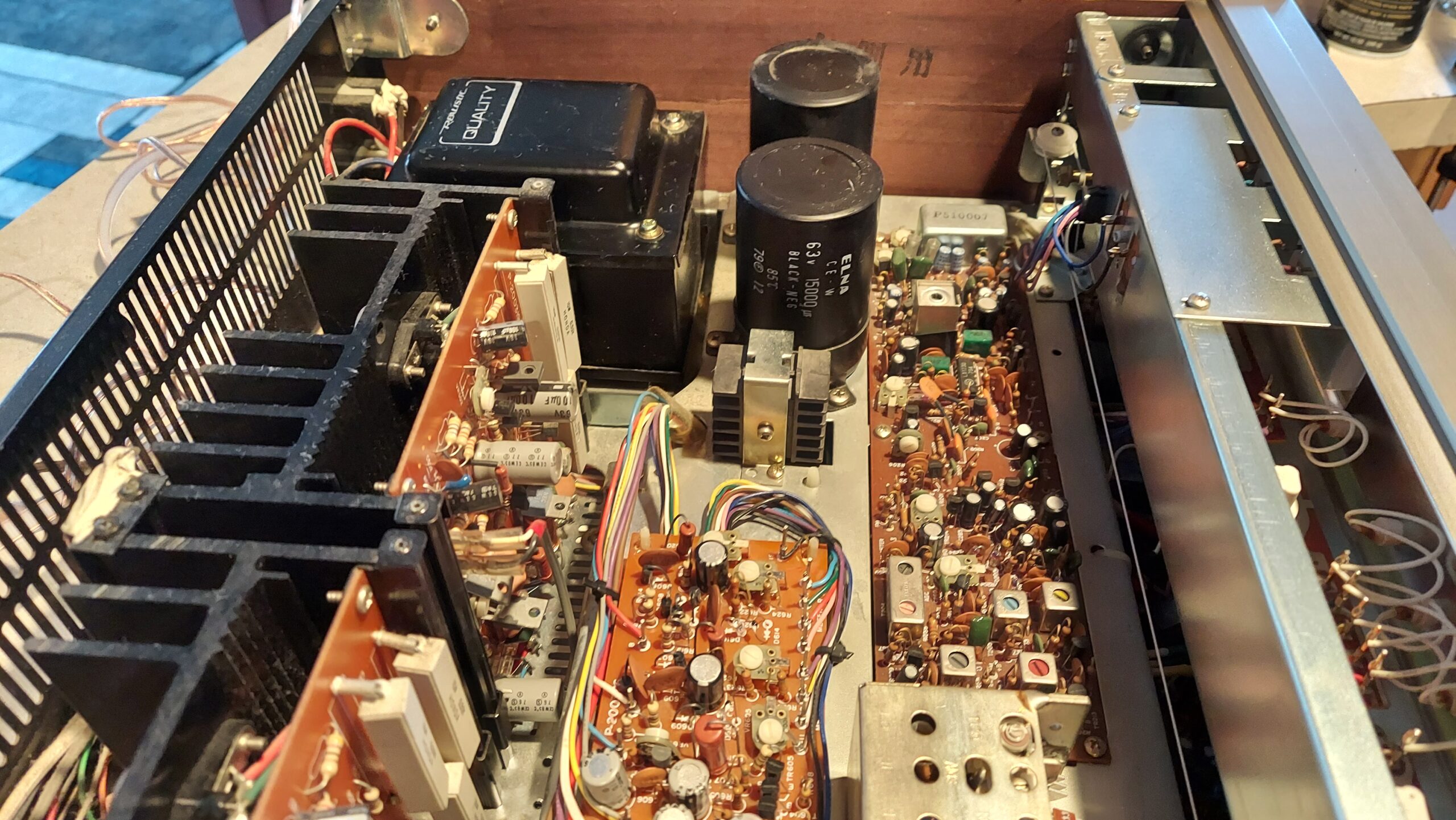
Open up a vintage receiver from the 1970s and look at the components. Huge capacitors. Robust power transformers. Heavy-gauge wiring. Gold-plated connectors. Everything is overbuilt.
Modern equipment uses the minimum viable components. Tiny capacitors. Cheap transformers. Thin wiring. Plastic connectors. They’re designed to last just long enough to get out of warranty.
Vintage equipment was built when longevity was expected. These were investments. People bought a receiver and expected to use it for 20 or 30 years. So it was built to survive 20 or 30 years.
That quality is still there. A vintage receiver from 1975 that’s been properly maintained still sounds as good as it did when it was new. A modern receiver bought new today will probably fail within five years.
Sound Quality Is Measurable
This isn’t opinion. You can measure it.
Frequency response: Vintage audio equipment has flatter, more accurate response across the audible spectrum. Modern equipment tries to “enhance” sound with presence peaks or bass boosts. Vintage equipment was designed to be true to the source.
Signal-to-noise ratio: Vintage audio equipment has lower noise floors. The background hum and hiss you hear is lower. That matters when you’re listening to quiet passages.
Distortion: Vintage audio equipment has lower total harmonic distortion. That means cleaner, more transparent sound. Modern equipment often has higher distortion as a result of cheap components and minimal power supplies.
These are measurable differences. Not marketing claims. Real technical specifications.
Why Vintage Audio Sounds “Warmer”
People say vintage audio sounds warmer than new equipment. That’s real. Here’s why.
Vintage amplifiers and receivers used output transformers. Those transformers had a subtle harmonic quality to the sound. They added a presence that modern solid-state equipment doesn’t have. It’s not a flaw. It’s a characteristic.
Modern equipment tries to be “perfectly neutral.” That means removing everything that could be seen as coloration. But that perfect neutrality sounds cold and clinical. It’s the opposite of engaging.
Vintage audio engineers understood that some warmth, some harmonic character, made equipment sound more musical. They designed for that. They knew what sounded good.
The Investment Angle
Here’s something people don’t always realize: vintage audio equipment is an investment that appreciates.
A rare vintage receiver from the 1970s that cost two hundred dollars new might sell for five hundred today. A highly sought model could be worth a thousand. The equipment ages. It becomes more valuable.
A modern receiver that costs two thousand dollars today will be worthless in 10 years. It will be obsolete. The technology will be dated. The components will be failing. You can’t give it away.
Vintage audio equipment you buy today and maintain properly could be worth more in five years than you paid for it. That’s an investment. New equipment is a purchase you throw away.
Serviceability
Most vintage audio equipment can be repaired, provided the parts are available. Sometimes that means an exact replacement. Sometimes it means pulling a part off a donor unit. Not every piece can be saved, and I won’t pretend otherwise. But the parts situation is usually the limiting factor, not the design itself.
The bigger issue is that a lot of this work needs to happen at the component level, and there aren’t many people left who actually do that. Circuit designs are documented, and an experienced technician can work on a vintage receiver from almost any era because the fundamentals hold up. But that only matters if someone still knows how to get in there and diagnose the real problem instead of just swapping parts until something works.
Modern equipment is often unrepairable. Proprietary chips. Soldered components you can’t replace. No documentation available. When something breaks, you throw it away and buy new.
Vintage equipment lasts because it can be repaired, when someone still knows how. Modern equipment doesn’t last because it usually can’t be, no matter who you ask.
Vintage Audio Isn’t Perfect
I’m not saying vintage equipment is infallible. Capacitors age. Some designs had flaws. Certain manufacturers built better equipment than others.
But a well-maintained vintage amplifier or receiver will outperform a modern equivalent in sound quality, reliability, and longevity. That’s just factual.
The Verdict
Vintage audio wins on sound quality. Wins on build quality. Wins on reliability. Wins on repairability. Wins on investment value.
The only thing modern equipment wins on is cost up front. But you pay for that with poor sound quality, poor reliability, and no long-term value.
That’s why I believe in vintage audio. It was built better. It was designed for sound quality. It still performs. And it will keep performing if you take care of it.
Want to start building a vintage audio collection? Browse our serviced equipment to find properly maintained vintage gear ready to use.
You pull out a vintage stereo from storage. You plug it in. Nothing happens. Or it powers on, but there’s no sound. Or the sound is crackly and weird.
Your first thought: it’s broken. Time to take it somewhere for repair.
But here’s what I see 30 percent of the time in the first few minutes of a diagnostic: the equipment isn’t broken. It’s dirty.
After 45+ years, I’ve learned that vintage stereo maintenance is half the battle. A lot of “broken” vintage equipment just needs cleaning. And a lot of that cleaning you can do yourself.
Dust Is the Invisible Enemy
Dust gets everywhere in vintage electronics. It coats circuit boards. It clogs cooling vents. It gets inside potentiometers and switches.
When dust coats a circuit board, it can block heat dissipation. Components get hotter than they should. Performance degrades. Sound gets weird. The equipment might even power down because internal temperature sensors detect overheating.
When dust clogs cooling vents, the same thing happens. Heat builds up. The equipment shuts itself down to protect the components inside. You think it’s broken. It’s not. It’s protecting itself from overheating.
When dust gets into potentiometers (the knobs that control volume, treble, bass), you get crackling or intermittent sound. The dust creates a resistance layer. When you turn the knob, it scratches against the dust and creates pops and crackles.
Corroded Connections
Vintage stereo equipment sits unused for years. Corrosion builds up on every connection: RCA jacks, speaker terminals, power cord connections, internal solder joints.
Corrosion is an insulator. It prevents electrical connection. A corroded RCA jack will accept a cable, but no signal passes through. You think there’s no sound because the equipment is broken. It’s actually a broken connection at the jack.
This is one of the easiest “repairs” for vintage stereo maintenance. Clean the connection. Plug the cable back in. Sound comes back.
Dead Capacitors vs. Dirty Equipment
Here’s the diagnostic question: is your vintage stereo broken or just dirty?
If it powers on but sounds wrong, it’s probably dirty. Crackling, no sound in one channel, weak output, weird frequency response. These usually point to dirty connections or dusty circuits.
If it doesn’t power on at all, that’s usually a real failure. Dead capacitors. Blown fuse. Internal damage. That one’s not a cleaning fix.
If you’re not sure, assume it’s dirty first. Clean it. See what happens. Worst case, you did some preventive maintenance and the equipment is cleaner than when you started.
How to Clean Your Vintage Stereo Safely
Compressed air first. Never use a vacuum. Vacuum creates static electricity, which can damage sensitive electronics. Use compressed air cans. Blow out dust from cooling vents, fans, and ventilation holes. Do this outside or in a garage so the dust doesn’t blow around your living space.
Soft cloth for the exterior. Use a dry microfiber cloth or soft cotton cloth on the outside casing. Don’t use water. Don’t use cleaners. Just dry cloth. You’re removing dust, not polishing the equipment.
Contact cleaner for connections. Electronics contact cleaner is available at any hardware store for five to ten dollars. Spray a tiny bit on a cloth and wipe down RCA jacks, speaker terminals, and visible connection points. Let it dry completely before plugging anything in. To remove oxidation, use a brass toothbrush-style brush.
Be very careful inside. If you open the chassis, don’t touch circuit boards, components, or internal wiring. If you must blow dust off internal circuits, use compressed air on the low setting. No liquids inside. Moisture inside will cause corrosion.
Don’t use liquids on circuit boards. Some guides say to use isopropyl alcohol on circuit boards. I don’t recommend it unless you really know what you’re doing. Let a professional handle internal cleaning if it’s needed.
Common Cleaning Fixes
Crackling in one channel. Grab the affected RCA cable. Wiggle it where it plugs into the jack. Does the crackling change? That’s a dirty connection. Unplug it. Use contact cleaner. Plug it back in. Problem solved.
No sound from speakers. Check the speaker connections first. Make sure the cables are pushed in completely. If they’re loose or corroded, tighten them. If you see white or green corrosion on the terminals, use contact cleaner and a cloth to clean them. And look for loose wire strands.
Weird volume or frequency response. The volume knob might be dirty inside. Turn the knob back and forth a few times. Sometimes this clears dust out of the potentiometer. If that doesn’t work, compressed air into the knob shaft might help. Don’t force the knob or try to disassemble it.
Equipment powers on then shuts off. This often means overheating from dust blocking vents. Blow out all the cooling vents and fan areas with compressed air. Let the equipment cool down. Try again. If it stays on, it was a dust and heat issue.
When Cleaning Isn’t Enough
Sometimes you clean your vintage stereo, and nothing changes. The crackling is still there. No sound in one channel. Weak output.
That means you’ve got a real failure. A bad capacitor, a broken component, something internal that needs actual repair. That’s when you bring it to someone who can diagnose and fix it properly.
But you’ve eliminated the easy stuff. You’ve done proper vintage stereo maintenance. And you’ve shown a technician that this isn’t a simple cleaning job. That’s valuable information.
Preventive Maintenance Saves Repair Bills
The best time to clean your vintage stereo is before it sounds wrong. Once a year, blow out the dust. Wipe down the exterior. Check the connections. A few minutes of maintenance can prevent problems that cost hundreds to repair.
Dust and corrosion are slow killers. They degrade your vintage stereo gradually. By the time you notice something’s wrong, the damage is months old. Preventive cleaning keeps that from happening.
Your vintage equipment is worth maintaining. A few minutes with compressed air and contact cleaner is all it takes.
If you’ve cleaned your vintage stereo and it still isn’t working right, contact us for a diagnostic. We’ll find out what’s really going on and get it back to working condition.
You’ve got a vintage receiver that won’t turn on. It’s been sitting in your garage for a year. You think: I can figure this out myself. I’ll watch some YouTube videos. I’ll get some tools. How hard can it be?
I understand the impulse. But after 45+ years fixing vintage electronics, I can tell you something: DIY repair on vintage equipment has a cost. Sometimes it’s money. Sometimes it’s worse.
Here’s the honest breakdown of what DIY repair really costs you, and when it makes sense to call a professional instead.
The Tools Cost Real Money
You don’t fix vintage electronics with a screwdriver and hope. You need real diagnostic equipment. A multimeter. An oscilloscope if you’re doing anything serious. A soldering iron. Solder. Desoldering tools. Heat-shrink tubing. Component testers.
A decent multimeter runs fifty to a hundred dollars. An oscilloscope runs three hundred to a thousand. A good soldering station runs a hundred and fifty to three hundred. If you’re starting from zero, you’re looking at five hundred dollars minimum just to get equipped for basic DIY repair on vintage electronics.
Most people don’t have this stuff. They borrow it. Or they buy cheap tools that don’t work well. Cheap soldering irons can’t heat components properly. Cheap multimeters give you bad readings. Bad tools lead to bad repairs.
The Knowledge Gap Is Wider Than You Think
Watching YouTube videos makes you feel like you know what you’re doing. Until you open up a vintage receiver and realize you have no idea what you’re looking at.
There are hundreds of different receiver designs. Different circuit topologies. Different component configurations. A video that walks you through fixing one specific model means nothing when you’re looking at a different brand or vintage year.
You don’t know what normal looks like. You don’t know what broken looks like. You might see a component that looks burnt and think “that’s the problem” when it’s actually a symptom of something else. The burnt resistor didn’t cause the failure. It’s the result of the actual problem, a bad capacitor pumping too much current.
Component-level diagnosis takes experience. You have to know where to measure. You have to understand what the readings mean. You have to trace the signal path and understand how the circuit works. Most DIY attempts skip this part and start replacing things randomly.
One Mistake Can Cost More Than Professional Repair
Here’s the real danger with DIY repair on vintage electronics: one mistake can turn a five-hundred-dollar repair into a fifteen-hundred-dollar repair.
Let’s say you’re working on a vintage receiver. You’re desoldering a component from the circuit board. Your soldering iron is too hot, or you hold it there too long. You lift a trace, a tiny copper line on the circuit board that connects components. That trace is now broken. The circuit doesn’t work.
Now you need to repair that lifted trace. You need to solder a tiny wire jumper. If you mess that up, you damage more traces. Fixing lifted traces on vintage circuit boards is not a beginner skill. It costs money when a professional does it. It costs a lot more money when an amateur has to fix the damage afterward.
Or you use the wrong solder. Old solder was lead-based. New solder is lead-free. They have different melting points and flow differently. You might use new solder on a vintage component joint and create a weak connection that fails a week later.
Or you accidentally short out a component with your soldering iron. Pop. That component is now fried. You order a replacement. It arrives in two weeks. Your repair is on hold. Meanwhile, you’re frustrated and considering giving up.
The Time Cost Is Real
DIY repair takes time. A lot of time. A repair that would take me a few hours might take you three weeks of research, trial and error, waiting for parts, and starting over when something doesn’t work.
That’s time you could have spent enjoying your vintage electronics instead of staring at circuit boards trying to figure out what’s wrong.
Time has value. Even if you don’t charge yourself an hourly rate, those three weeks of frustration and research are not free.
When DIY Actually Makes Sense
That said, some DIY repairs on vintage electronics do make sense. Not the electronics repair itself, but the maintenance kind of DIY.
Cleaning. You can absolutely clean a vintage receiver yourself. Compressed air, gentle cloth, maybe some electronics cleaner spray. You’re not opening anything that’s going to hurt you. You’re just removing dust. Do this.
Cable and connection checks. Loose cables cause a lot of “broken” vintage equipment to seem broken when they’re not. Check your RCA cables. Make sure speaker connections are tight. Reseat cables if they look loose. This takes five minutes and costs nothing.
Simple adjustments. Some vintage equipment has adjustable pots for biasing or input levels. If there’s documentation, you can try adjusting these yourself. Worst case, you’ve adjusted it wrong and I can put it back.
These are safe, non-destructive things you can do. They might fix the problem. They won’t make things worse.
When You Need a Professional
If your vintage electronics don’t power on. If they sound wrong. If there’s any sign of internal damage. If you need to open the chassis and work on components inside. That’s when you call a professional.
A technician has the tools. The experience. The knowledge to diagnose the actual problem instead of guessing. If something goes wrong, they’re liable. They have insurance. They know how to fix mistakes.
The cost of professional repair might seem high. But it’s usually less than the cost of trying DIY, making it worse, and then bringing it to a professional anyway with extra damage to repair.
The Math Is Simple
Let’s say your vintage receiver needs repair. Professional diagnostic: one hundred dollars. Professional repair: five hundred dollars. Total: six hundred dollars.
DIY attempt: five hundred dollars in tools. Three weeks of research and frustration. One lifted trace from bad soldering. Now you need professional repair anyway, but now it’s six hundred for the original repair plus two hundred for the damage you caused. Total: thirteen hundred dollars.
The professional repair was half the price.
This isn’t theory. I see this more than people expect. Someone tries to fix their vintage electronics, makes it worse, and ends up paying more.
Respect the Complexity
Vintage electronics are complex. They deserve respect. Sometimes that respect means admitting you need professional help.
Clean your equipment. Check your cables. Do the safe stuff. But if you’re looking at opening the chassis and working on components inside, that’s a professional job.
You’ll save time. You’ll save money. And you’ll keep your vintage equipment working right.
Want to talk about whether your vintage electronics are worth repairing? Contact us for a diagnostic, and let’s figure out the best path forward.